Sonetta Studio for Windows.
Each song is one page. You write the chords over the words and can record a take under any verse. Spare lines and hummed tunes go into Ideas, where you can find them again.
Free, with unlimited songs and no account to create.
What's included.
Lyrics and chords
When you change a line, the chords stay with their words.
More about lyrics and chords →Voice memos and ideas
A line or a hum can be saved to Ideas from any program with one keyboard shortcut.
More about voice memos and ideas →Rhyming dictionary
Familiar rhymes come first in the list beside your lyric.
More about the rhyming dictionary →Syllable counter
Sonetta Studio tells you how many syllables each line has when you check the song over.
More about the syllable counter →Chord progressions
Try chords on piano or guitar until one sounds right.
More about chord progressions →Import your songbook
Your songbook from other chord apps comes over with its sections and capo marks.
More about importing your songbook →Split sheet
A song’s credits name its writers and who wrote the words or the music.
More about the split sheet template →Record the session
In a session you record while you play and mark the parts worth keeping.
More about voice memos and ideas →Stays on your PC
What you write and record is saved to a folder on your PC and leaves it only when you send it somewhere. What goes online →
Backups and new PCs
Besides its own daily backup, Sonetta Studio will put all your work into one file whenever you ask. Restore that file on a new PC and carry on writing.
Questions about the Windows version
Is it the same app as on the Mac?
Yes. Sonetta Studio for Windows has the same tools as the Mac version, on Free and on Pro, at the same price.
Does it work offline?
Yes. Writing, search by meaning, rhymes and the built-in assistant all work on your PC without a connection. Your license goes online when you activate Pro, free a computer or remove the license. Sending feedback and the daily update check, which you can switch off, go online too. What goes online →
Does it need an account?
No. You never sign up for anything, on Free or on Pro. When you buy Pro, the key arrives by email and you enter it in the app once. What each version includes →
Can I bring my songs over from a Mac?
Yes. Make a backup on the Mac and restore it on your PC. The backup is one file with your songs, ideas, sessions and recordings.
Does one license cover my Mac and my PC?
Yes. One Pro license works on up to three computers at once, in any mix of Macs and PCs. When you replace a computer, you free its place in the app’s License window, even if the old one is lost or broken. What each version includes →
Is there a phone app?
Not yet. Voice memos from an iPhone or an Android phone can still come into Ideas. Sonetta Studio reads .m4a, .mp3 and .wav files, among others. AMR recordings, which some Android phones make, can’t be read yet.
Which Windows does it need?
Windows 10 or later, on a PC with a 64-bit Intel or AMD processor.
Do I have to pay every month?
No. Pro costs $49 once at the founder price and includes two years of updates. The free version has no time limit. What each version includes →
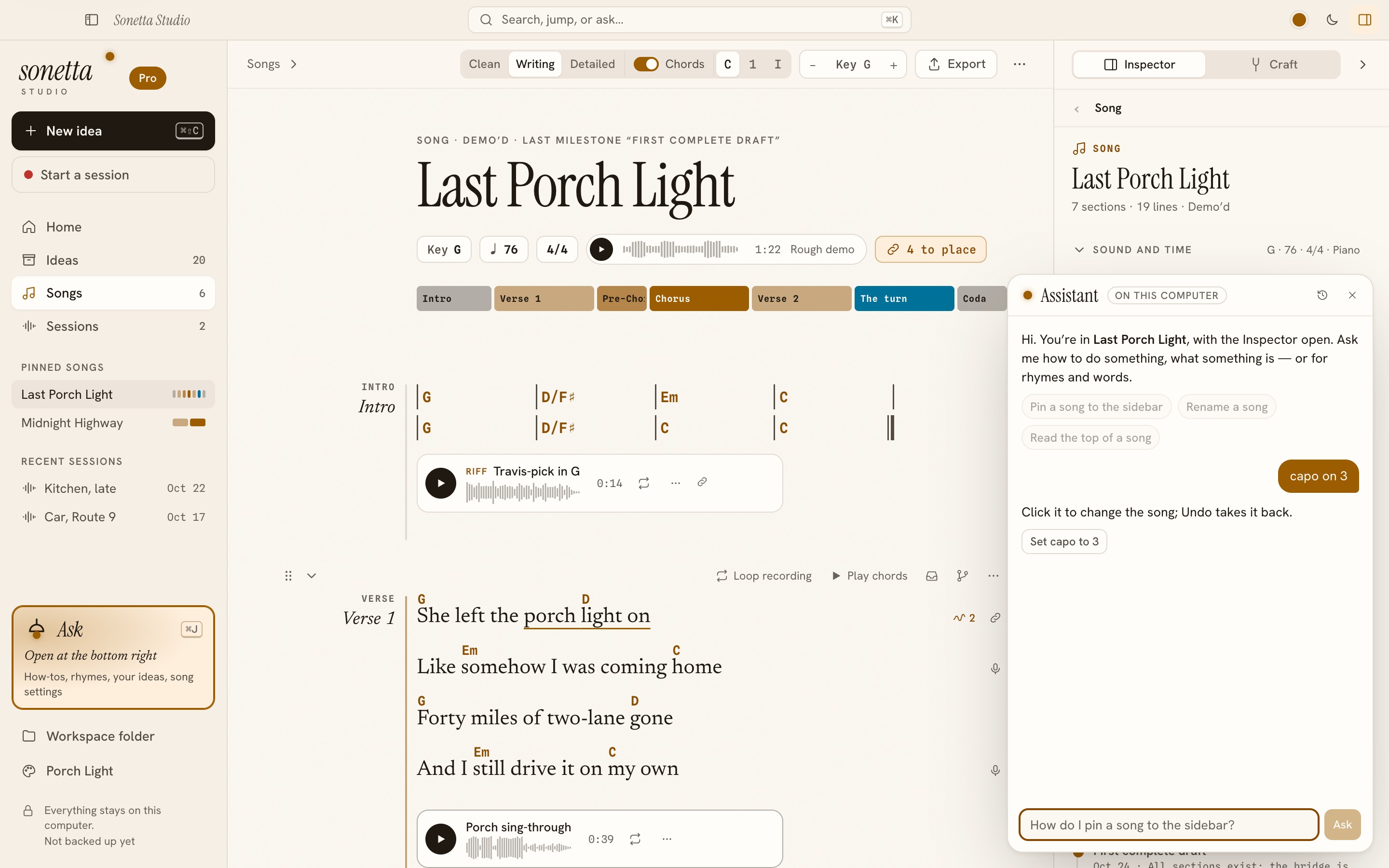
A song open: chords on the words, a take under the verse, and the assistant offering to set the capo.