Import your songbook.
Your songs may sit in another chord app, or in a notes app with the chords typed above the words. Sonetta Studio reads both, and the chords stay over the right syllables.
Free, with unlimited songs and no account to create. Free and Pro both import songs and old voice memos. More about voice memos and ideas →
What comes in
The whole songbook
You have years of songs in another app. One import can bring in hundreds of them.
Sections, key and capo
Each verse and chorus comes in as its own section, with the song’s key and capo. If a file names its writers, they come in as suggestions for the song’s credits.
More about the split sheet template →A preview first
Before anything is added, a preview shows what each file will become and what it leaves out. If you change your mind afterwards, you can undo the whole import in one step.
Share with a co-writer
If your co-writer has Sonetta Studio, send them one file and they get the song with its recordings. The same file moves a song to your other computer.
Export your songs
When you want a song in another chord app, Sonetta Studio saves it as a chord chart that app can read. For a copy of everything, the whole songbook goes out as one folder of readable files and recordings.
Questions about importing songs
Which files can Sonetta Studio import?
ChordPro, OnSong, SongSelect and SongbookPro files. Ultimate Guitar exports come in too, as does plain text with the chords above the words or lyrics alone. A song package (.sonetta-song) from another copy of Sonetta Studio brings its recordings with it. Worship apps’ own files, such as OpenSong or ProPresenter, can’t be read, so export those as ChordPro or text first.
Is importing free?
Yes, on Free and on Pro, with unlimited songs.
Can I export back to ChordPro?
Yes. A ChordPro file keeps the sections, key, capo and tempo. The composer and lyricist from the song’s details go into it as well. Plain lyrics and a PDF chord sheet are there too, and Sonetta Studio can write your whole songbook out as a folder of ChordPro and text files with your recordings.
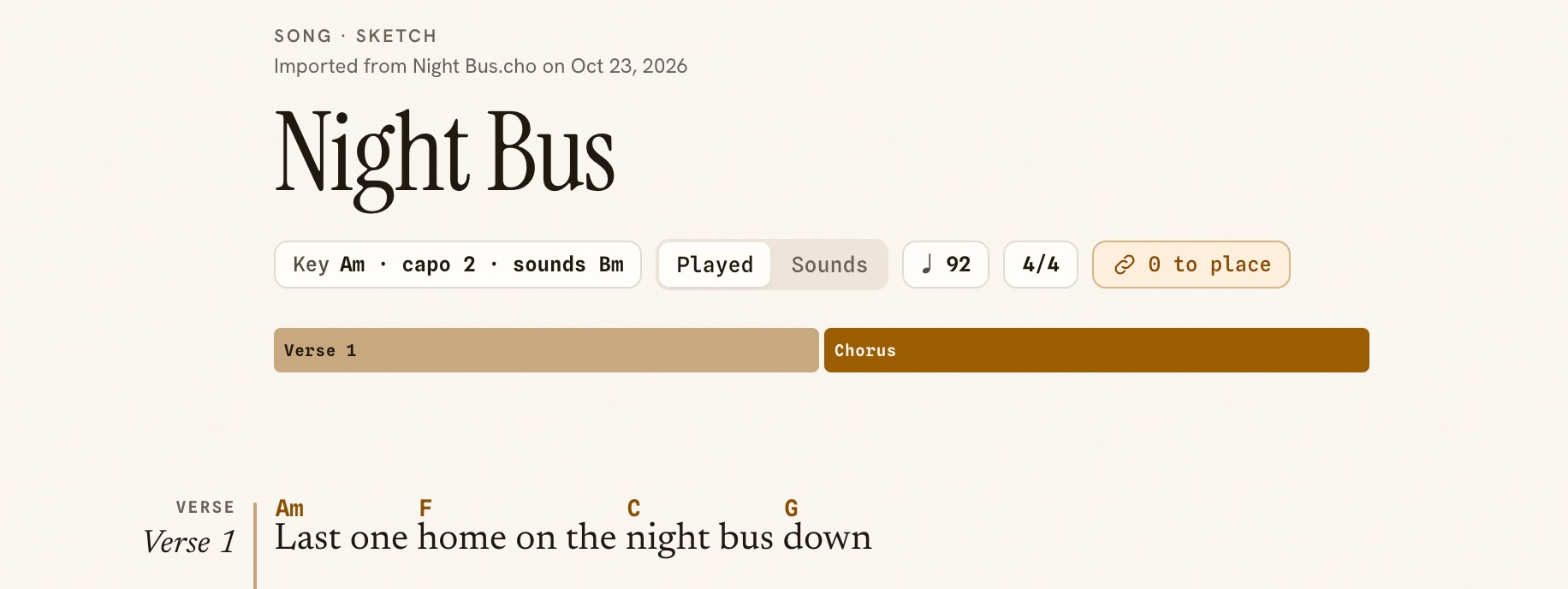
A song after import: its file named above the title, the writers under it, the key as played and as it sounds.